
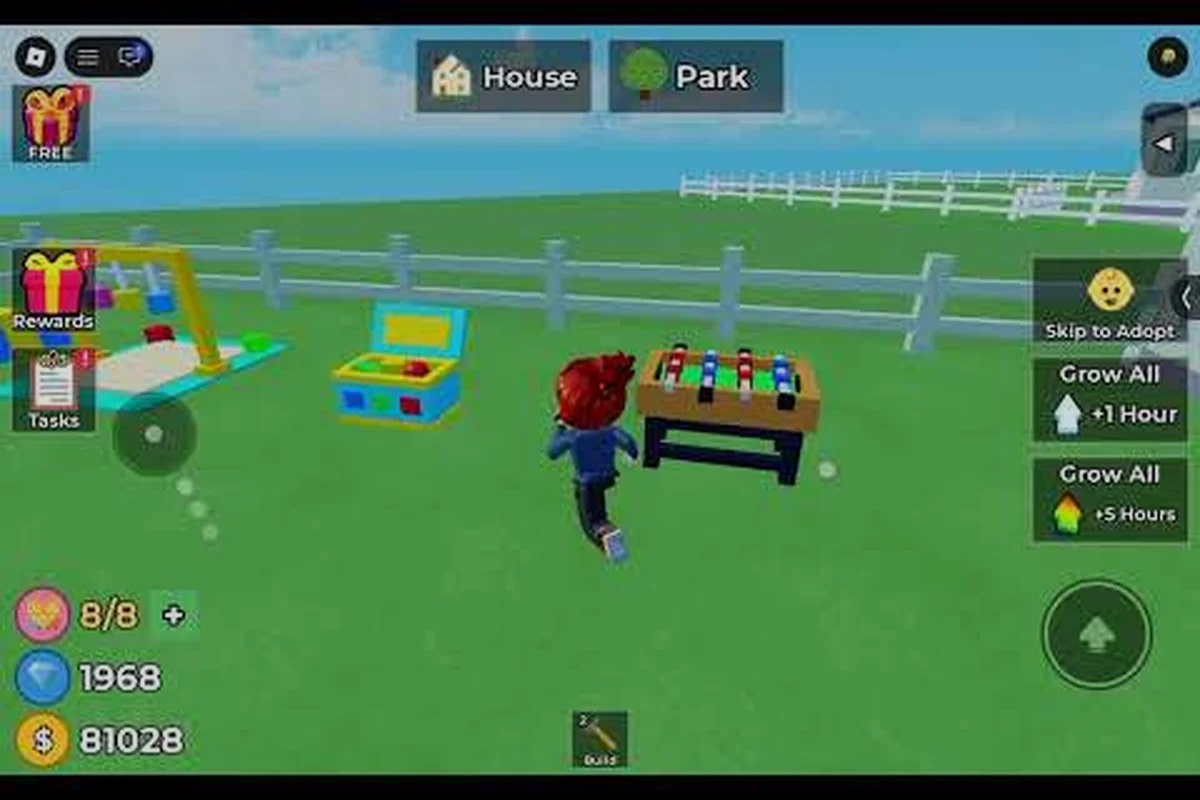
Raise The Biggest Family children age offline by treating each return session as part of a steady care cycle: repeated feeding, training, and family upkeep determine whether child growth continues while time away. The key is to compare the child’s age and stats before logging off, then use the same offline-aging window as a baseline for your next visit, since active care prevents stagnation while prolonged absence can leave growth behind other children in the family.
How Raise The Biggest Family Children Age Offline
Children can advance while you are away, but the offline system works best as one part of a broader daily care routine. In Raise The Biggest Family, leaving the game does not freeze every part of child growth; instead, time spent away can provide passive progress. However, returning regularly lets you interact with each child, maintain affection, and address any task or milestone that needs attention.
Understanding the distinction is important. Offline aging refers to passive development during an absence, while active care involves the actions that make your family happy and help you move forward. The practical answer to whether kids grow offline is yes, but offline progress should not be confused with a guarantee that every child advances immediately after you leave.
Passive Progress and Direct Care
The clearest way to understand the mechanic is to separate what happens automatically from what requires your attention: offline aging advances a child’s growth stage while the game is closed, but daily care still needs an in-person visit and response to affection or household prompts. For example, returning after an absence may reveal a new child age, yet that age change does not automatically satisfy every requirement check; review the household conditions before expecting further milestone progress.
| Progress type | What happens | Best use | Player action |
|---|---|---|---|
| Offline aging | A child may advance through a growth stage during an absence | Save time while away | Return and review the result |
| Daily care | Affection and household needs are checked in person | Maintain a happy, stable family | Visit children and respond to prompts |
| Milestone progress | A child reaches a new age or stage | Unlocks new possibilities | Confirm the stage and continue raising the child |
| Requirement check | Some advancement may depend on meeting household conditions | Prepare before aging | Review growth requirements first |
This separation prevents a common misconception. Leaving the game can create passive aging time, but it does not replace the care actions that move the family forward. Players who want a broader explanation of the system can consult how aging works in Raise The Biggest Family.
What Returning Players Should Check
A useful return session takes only a few deliberate actions, especially because offline growth advances through age stages and child-care tasks, not through real-time training. Start by opening the family view to confirm each child’s current age stage, then compare it with the last recorded stage. For example, if a child changed from the child stage to the teenage stage, review the completed task and available interactions before spending time on later-stage household requirements. This focused check helps you notice growth-related changes without spending the whole session managing every child.
-
Open the family view and check every child’s current stage.
-
Look for a new age label, completed task, or changed interaction.
-
Show affection or provide the requested care.
-
Review any household requirement that could slow future growth.
-
Return again the next day rather than relying on one long absence.
The key benefit is consistency. A short daily check can be more useful than waiting several days because offline growth advances through age stages and child-care tasks, letting you resolve small issues before they become distractions. For example, if a child has just entered the teenage stage, a quick review of the completed task, available affection interactions, and any newly available household requirement can keep offline progression on track; ignoring that transition for several days may delay the next stage.
Understanding Offline Aging
The game’s passive growth is based on elapsed time, but the visible result depends on the child’s current stage and the family’s ability to meet its needs. Time away is the engine of offline aging; direct care is what lets you confirm progress and maintain the conditions required for the next stage.
Community experience supports a practical rather than literal interpretation of offline aging. Players report that children can make visible progress after time away, yet a child may also remain in the same stage when requirements have not been handled. Since specific timing can vary by platform, game version, and family conditions, treat any exact time estimate as community observation rather than a guaranteed countdown.
Why Progress Looks Stalled
Several factors can make a family look stalled even though time has passed: the offline-aging clock may require a minimum task completion, the elapsed interval may not yet meet the next growth stage, or different children may unlock progress at different rates. For example, if two children have been offline for the same number of hours, only one may have enough completed tasks to qualify for an age increase, leaving the other at the same age. Checking each child’s task progress, eligible return interval, and recent care events can help identify whether the apparent pause reflects normal milestone timing or a pending progression requirement.
| Observed result | Likely explanation | What to check |
|---|---|---|
| Same age after returning | A milestone requirement is unmet | Child tasks and family conditions |
| Partial progress | Growth is still accumulating | Return after another eligible interval |
| No change on one child | Other siblings may have advanced | Compare each child separately |
| Change disappears after interaction | A prompt may have been waiting for input | Review recent care events |
| Different result than before | Balance or platform behavior may have changed | Compare the current interface and patch state |
These possibilities explain why Raise The Biggest Family offline aging questions often focus on one stalled child. A single family can contain children at different stages, and each child may respond differently to the same number of hours away. The growth stages overview can help you distinguish a normal stage delay from a deeper progression issue.
Why Daily Love Matters
Showing love is not merely a decorative interaction. It supports the family’s daily routine and creates opportunities for children to advance when they are ready. Affection-based care provides the clearest daily reason to return, while passive aging supplies the time-based component.
A practical routine is to check in, care for each child, and review the next requirement before closing the game. If you are unsure whether a particular action is enough, the guide to baby growth and daily progress provides a useful follow-up reference for younger stages.
What Growth Requires From the Household
Offline time is only useful when the household can support the child’s development. Think of the requirements as a sequence of gates: the child needs time to age, the family must satisfy the relevant conditions, and your presence allows you to resolve prompts and continue the cycle. This is why stage progression and simply being away are not the same thing.
The supplied game data does not include verified numeric timers or universal requirement values, so this guide avoids inventing exact ages or wait periods. Instead, use the interface as the authority. Read the child’s displayed task, inspect the family status, and confirm what the game requests before assuming offline time has failed.
A Requirement-Check Routine
This check should be treated as a repeatable child growth audit rather than a one-time glance: compare the age label shown in the child or family panel with the label from the previous eligible return, then match that change to the task status or household interaction. For example, if a child moves from one age label to the next after completing an affection action, note both the old and new labels alongside the requirement that was met. This creates a clearer offline aging record and helps explain whether Raise The Biggest Family child growth advanced because of a completed task, a family interaction, or another eligible return.
-
Open the child or family panel and identify the current growth stage.
-
Read the displayed task, status, or requirement without rushing past it.
-
Complete any interaction that shows affection or supports the household.
-
Check whether another child or family resource is involved.
-
Note the current age label, then compare it after the next eligible return.
This routine makes Raise The Biggest Family child growth easier to track because it records what changed instead of relying on a vague memory of the previous visit. Keep a simple before-and-after log for each eligible return: record the child’s displayed age label, the affection action or household interaction completed, and the new label afterward. If a child changes from age 3 to age 4 only after a qualifying interaction, that sequence links offline aging to the specific requirement instead of assuming the change happened automatically. The same child or family panel can then serve as a reference point for later checks, helping separate confirmed Raise The Biggest Family child growth from changes that were not actually observed.
Daily Observation Checklist
Keep a simple note for each child, especially when managing several family members, and update it immediately after every offline aging check. For example, record a toddler’s current stage before leaving, then log the new stage, the last completed requirement, and any outstanding warning on returning. This makes it easier to distinguish genuine offline growth from a delayed prompt or a care action that was never triggered.
| Record | Example use | Why it helps |
|---|---|---|
| Current stage | Baby, toddler, or another visible label | Confirms the baseline |
| Last requirement | A specific task shown in the panel | Prevents overlooking a prompt |
| Last care action | Love visit or family interaction | Shows what was already completed |
| Last observed age change | Date and new stage | Separates delay from a failed mechanic |
| Outstanding warning | Hunger, mood, or family condition | Identifies what needs attention next |
Community reports are most helpful when they describe the complete check-in process rather than claiming that absence alone produces a specific result. Based on player experience, the observed change plus the child’s status is more informative than time away by itself.
Managing Multiple Children
Large families benefit from a systematic order because notifications can become noisy. Check infants first, then children with active tasks, and finally review the family summary. This approach keeps affection consistent while making sure that no child’s requirement is overlooked because another sibling produced a more noticeable milestone.
The growth requirements reference can help organize the conditions surrounding each stage. Remember that requirements can be revised by the developer, so the current game interface remains more reliable than an old checklist.
Brief Check-Ins for Offline Growth
The strongest offline growth setup combines a sensible absence with brief, repeatable check-ins. You do not need to keep the game open continuously. Instead, return often enough to care for children, clear prompts, and preserve a progression rhythm. The value comes from reliable daily interaction, not from staring at a progress bar.
Start by choosing a time that fits your schedule. Many players find one short session after work or school practical because it is easy to sustain. Community routines commonly pair a daily family visit with an occasional longer absence, although the best interval depends on how quickly you can manage prompts and requirements.
Comparing Return Strategies
| Routine | Likely benefit | Best for | Possible weakness |
|---|---|---|---|
| One visit per day | Simple care and stage checks | Players with a steady schedule | Requires remembering the return |
| Several short visits | Faster response to prompts | Busy families with flexible breaks | Can become distracting |
| Long absence only | Convenient passive time | Players who expect automatic progress | Milestones may wait for attention |
| Daily care plus planned absence | Balanced active and passive growth | Most regular families | Needs a little planning |
Treat these return strategies as flexible starting points rather than rigid presets. For example, if a child’s age or development stage advances during an absence, adjust the return routine to the requirement shown when you return; returning on the same fixed timer may leave a milestone waiting. The key is to pair every absence with a matching return routine, because offline aging, milestone checks, and any care or growth prompts determine how the child progresses while you are away.
A Five-Minute Return Checklist
When time is short, use this focused sequence: begin with the family’s current child stages and affection interactions, then clear one concrete warning or requirement per affected child before checking for a stage-change notification. The goal is not to complete every possible action in one visit, but to keep each child’s offline growth track moving and to schedule the next return for a similar time window.
-
Open the family and note each child’s stage.
-
Visit every child and show the available affection interaction.
-
Resolve one visible requirement or warning for each affected child.
-
Look for a stage-change notification before leaving.
-
Schedule the next return for the same general time.
This checklist is intentionally simple because repeated habits are easier to maintain than elaborate routines. Quick consistency supports both the emotional side of raising a family and the mechanical progression system: regular affection interactions maintain family engagement, while addressing each child’s warning or requirement preserves the conditions needed for offline child growth. For example, if one child has an unresolved requirement and another is ready for a stage change, resolving the requirement first can keep the whole family’s progression cycle stable without requiring a long visit.
Does Opening the Game Reset Anything?
No reliable evidence indicates that checking the game cancels passive growth. In practice, returning is necessary to observe progress and complete hands-on care. Community reports consistently describe offline progress as a feature rather than a penalty for closing the game.
If a child seems unchanged after returning, do not repeatedly refresh the interface. Read the child’s task, provide the requested care, and wait through another normal cycle. If the same requirement remains blocked, compare the current stage rules with the aging mechanics guide for troubleshooting clues.
Why Slow Offline Growth Is a Signal
Slow growth is usually a signal to inspect the family’s conditions, not a reason to keep the game open at all hours. Because stage readiness can delay the visible result of elapsed time, the most productive response is a careful audit of each child’s status and the household’s current needs.
Start by comparing two visits rather than relying on one observation. Record the stage shown at the first visit, complete the available care actions, and then compare it with the stage on the next return. If the child changed, the system is working. If not, look for an unmet requirement or a warning that needs attention.
Troubleshooting Checklist
-
Confirm that the game has fully loaded before checking the age label.
-
Review every child rather than assuming one child represents the whole family.
-
Complete visible affection prompts for children who require them.
-
Read all household warnings before starting another growth session.
-
Compare stage labels instead of estimating progress from hours alone.
-
Wait for another eligible interval when a milestone is close.
-
Account for possible platform or patch differences when comparing results.
| Symptom | Best first action | What to avoid |
|---|---|---|
| One child is unchanged | Check that child’s task | Assuming all siblings are blocked |
| Everyone appears unchanged | Review family-wide warnings | Repeatedly closing and reopening the game |
| A stage changed without care | Review the new-stage prompt | Assuming passive growth failed |
| Requirements changed | Use the current interface | Following an outdated old guide |
| Results vary between visits | Keep a dated stage log | Treating one delay as a bug |
This process answers the question of whether Raise The Biggest Family do kids grow offline with a practical result. Yes, children can advance during time away, and a short daily check helps you maintain the growth cycle. A visible change may still depend on stage readiness, which is why tracking matters.
Frequently Asked Questions
Do children in Raise The Biggest Family grow while the game is closed?
Yes. Raise The Biggest Family children age offline as part of the game’s passive progression system, but time away alone may not complete every milestone. Return to confirm the new stage, show affection, and handle any requirement that became available while you were gone.
How long does offline aging take in Raise The Biggest Family?
There is no single verified timer that applies to every family, child stage, and platform version. The child must be ready for progression, and household requirements can affect the result. Record the stage before and after your absence rather than relying on an exact number of hours.
Does showing love each day affect child growth?
Daily love supports the family’s care routine and provides hands-on interaction with each child. While passive aging can occur during time away, showing love helps you maintain affection, respond to prompts, and keep advancement moving when the child reaches the appropriate stage.
Why did my child not age after I was offline?
A child may not age when a requirement, task, or family condition remains unresolved. Check that child’s panel, complete the displayed care action, and compare the stage on your next return. Because children can progress differently, inspect every child instead of judging the family from one child’s status.
Should I keep the game open for faster growth?
Keeping the game open is generally unnecessary because passive aging provides time-based progress. A consistent daily return is usually more practical: visit each child, show affection, clear available requirements, and verify stage changes before leaving the game. For example, if one child’s panel shows a ready-to-advance status, complete that requirement before checking another child, since unresolved tasks can prevent the expected stage change even after time has passed.