
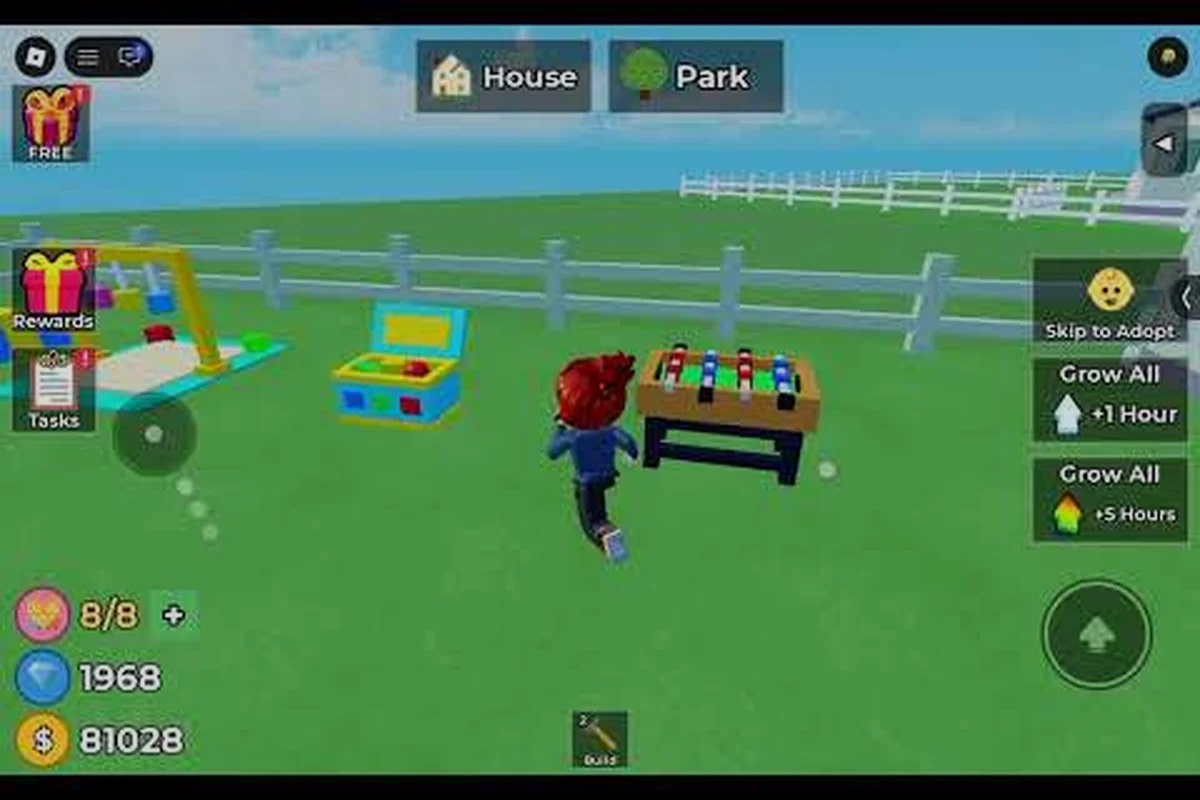
In Raise The Biggest Family, the Growth System advances a child’s real-time age through activities such as eating, training, completing quests, and using the Aging Mechanic, so care decisions directly affect how quickly the character matures. For example, maintaining active task assignments and choosing growth-focused rewards shortens the wait compared with leaving the family idle; the guide also explains how long growth takes, which attributes matter most, and how Roblox players can build a steady progression routine around the growth system.
Raise The Biggest Family Growth System at a Glance
Raise The Biggest Family growth appears to combine real-time development with offline aging, meaning a child may continue progressing while you are away. Because exact timers can vary by version, the safest strategy is to combine steady care with regular return visits rather than relying on one clock alone.
The most useful distinction is between active development and passive aging. Active development depends on meeting a child’s immediate needs—hunger, hygiene, and care consistency—while passive aging advances the child during time away from the game. For example, if hunger interrupts normal development, feeding the child before a long absence and then returning on a regular schedule can prevent an avoidable slowdown, although exact growth rates may vary by game version.
| Growth factor | What the player controls | Practical effect | Best response |
|---|---|---|---|
| Hunger | Feeding and meal availability | Can interrupt normal development | Check needs before leaving |
| Hygiene | Bathing and cleanliness care | Supports a healthy routine | Bathe before a long absence |
| Care consistency | Daily attention and return visits | Supports predictable progress | Visit at regular intervals |
| Time elapsed | Real-world time spent online or offline | Advances the child’s age | Return before a long break |
| Game version | Balances and timers controlled by the developer | May alter pacing | Confirm current behavior in-game |
This overview is intentionally conservative because community-reported timers are not the same as official development data. Based on player experience, however, the strongest pattern is simple: neglected needs appear to slow the process, while consistent care makes growth more reliable.
For new players, start with the basics in the baby-care overview before optimizing visit frequency. Once basic needs are covered, use the growth guide below to build a routine around the aging mechanic rather than checking the game at random.
Active Care Versus Passive Aging
Active care is the part of growth you can directly influence. A child’s visible needs are the clearest signals: if a need is neglected, the child may stop progressing normally or show signs of poor condition. Completing the relevant care action removes that immediate obstacle.
Passive aging is less direct. The child can continue aging based on elapsed real time, including time when the player is offline. This makes return timing part of the growth strategy, especially when you expect to be away for hours rather than a few minutes. A useful routine is to check the child’s status, satisfy hunger and hygiene needs, then make a brief return near the end of your session. This approach supports active care while giving passive aging the time needed to continue.
Raise The Biggest Family Real Time Aging Explained
Real time aging in Raise The Biggest Family is not a guaranteed progression timer. The growth system may continue while the game is closed, but the child’s condition determines how effectively elapsed time translates into aging. For example, returning after a long shift can still leave a baby hungry or dirty, and those unresolved needs may interrupt the normal growth sequence. Regular feeding, hygiene, and attention therefore matter alongside logged-in time, although no exact minute-for-minute growth formula should be assumed without current in-game verification.
The mechanic should be treated as a combination of elapsed-time tracking and condition management. A real-time clock can continue while the game is closed, but player reports suggest that ignored needs can interfere with the expected result. That means simply returning after a long shift may not be enough if the child arrives hungry, dirty, or otherwise neglected.
| Situation | Likely growth outcome | Why it matters |
|---|---|---|
| Child receives care on a regular schedule | More consistent progression | Needs are handled before they become obstacles |
| Player returns after a short break | Usually easier to maintain | There is less accumulated care work |
| Player returns after a long absence | Progress may continue, but needs may be waiting | Time alone does not replace attention |
| Player ignores basic needs | Development may stall or slow | Neglect can interrupt the normal sequence |
| Player logs in briefly each day | Usually easier to sustain | Short, consistent checks are practical |
Because real time aging has no confirmed minute-for-minute conversion, players should test the growth system with a short, controlled absence rather than infer a fixed duration. For example, note the baby’s current age and condition, wait roughly the same interval on another occasion, then compare the result after feeding, hygiene, and attention are restored. This check can reveal whether an apparent delay came from unresolved needs or simply from a longer-than-expected growth stage, although current in-game verification remains necessary. If you are trying to reconcile online and offline behavior, the article on kids aging and offline progress focuses on the issue players most often troubleshoot: children not aging as expected after time away.
Why Offline Progress Can Look Unreliable
An apparent growth problem may not actually be a broken timer. The game may have accumulated elapsed time while certain needs were still outstanding, producing an age change that feels delayed or uneven. Checking each requirement immediately after returning can distinguish this from a deeper progression issue.
Another source of confusion is the difference between age milestones and visible condition changes. A child can change age while still showing needs that require attention. Those needs do not necessarily indicate that every stage was skipped; they may simply show that care was needed at the time.
Use a short post-return checklist: note the child’s age stage, compare it with the previous visit, and then verify each visible need. If the age changed but a need remained, the growth system may have registered the milestone while the child’s condition still requires care; for example, a newborn may advance to the next age stage yet continue to show an unmet basic need. Record the offline interval and any repeated pause before deciding whether this is a growth-system delay or a care-related status issue.
-
Compare the child’s current age stage with the stage seen during the previous visit.
-
Review every visible need before taking any other action.
-
Complete the relevant care task and confirm that the status indicator changes.
-
Watch for the next milestone rather than expecting several changes at once.
-
Record whether the same pause occurs after similar offline intervals.
This checklist turns vague complaints into useful observations by separating the growth system from visible care status and version-specific timer behavior. For example, if a newborn advances during the offline interval but Hunger still shows an active requirement, the age milestone may have registered before the condition updated. Testing the same pattern across two offline durations helps identify whether the pause follows elapsed time, the current age stage, or a particular game version.
Raise The Biggest Family How Long Does It Take for a Baby to Grow
The answer depends on whether you mean a single age transition or the full sequence from baby to adult. Raise The Biggest Family how long does it take for a baby to grow is best answered through observed stage changes, not a guessed universal timer, because care requirements and version pacing can influence the experience. Community experiences with the aging and stage progression guide can provide useful comparison points. If your child has not advanced, check care status and time elapsed before assuming that a fixed milestone should have been reached.
| Question | Best way to answer it | What to check |
|---|---|---|
| How long is one stage? | Compare two age changes during identical conditions | Active needs, elapsed time, and version |
| Does a baby grow while offline? | Track the stage before and after a known break | Whether passive aging applied |
| Why is one child ahead? | Compare care routines and current needs | Consistency and neglected requirements |
| Is the timer stuck? | Repeat with all needs satisfied | Whether the same stage persists |
| Can growth be rushed? | Observe available care actions | Whether any action skips a milestone |
The most important distinction is between minimum time and consistent growth. A stage cannot be evaluated only by the clock if a required need was active during much of that interval. Conversely, regular attention may still matter even when the game registers offline time.
A sound testing method is to maintain one child under a stable routine while leaving another untouched, then compare their stage changes across several days. Avoid changing care behavior too often, because frequent adjustments make the results difficult to interpret. Keep notes on care completion and stage changes rather than vague impressions.
A Reliable Baby Growth Test
Start by choosing a time when you can provide care immediately before leaving the game. Clear every visible requirement, note the current stage, and then stay away for a controlled interval. When you return, satisfy all requirements again and check whether the stage has changed.
Repeat the test with a different interval while keeping the care procedure identical. If both tests produce the same result, you have a useful baseline. If one differs, investigate factors such as a missed need, a late return, or a game update that occurred between the sessions.
The baby needs list is useful for creating a consistent test because it prevents one forgotten requirement from contaminating the entire comparison. For example, if your baby needs Food, a bed, and a clean diaper before the aging tick, completing only Food and the bed can produce a false result: the baby may not advance, making the interval appear ineffective when the real issue is an unmet requirement. Check the list at the start and again before the controlled interval ends, keeping the care sequence identical so you can isolate how long the baby takes to grow.
Care Choices That Influence Raise The Biggest Family Growth
The things that affect growth are not limited to a timer. Care order, attention to visible needs, and the length of each visit all contribute to a stable routine. The strongest approach is to treat care as a repeatable sequence instead of reacting only when a warning appears.
| Care priority | Action | Growth-related purpose | Common mistake |
|---|---|---|---|
| First | Check the child’s current condition | Identifies any immediate obstacle | Assuming the child is fine because age did not change |
| Second | Address hunger | Restores normal readiness | Feeding only after another need escalates |
| Third | Handle hygiene | Completes the visible care routine | Leaving hygiene until every other task is done |
| Fourth | Return before an extended absence | Supports passive aging | Waiting for several days without visiting |
| Fifth | Confirm the next stage | Verifies progress | Watching only the child for a few seconds |
Care order matters because the growth system responds to a completed care sequence rather than isolated actions. For example, checking the child’s condition before feeding reveals whether hunger or another status issue is blocking normal growth; feeding before that check may leave the underlying obstacle unresolved. Cleaning the child only after hunger is handled keeps the fourth-stage indicator meaningful, while confirming progress before returning prevents the passive aging process from advancing through an incomplete visit. A fixed sequence—condition, food, cleanliness, observation—therefore makes each growth-related update more predictable than reacting only to whichever animation is currently available.
Visit length is less important than visit consistency for most players. A brief but complete check can be more useful than a long visit interrupted by repeated menu changes. Complete the care actions, confirm the status indicators, and end the session only when the routine is finished.
Optimize Visits Without Overchecking
Frequent checking is not automatically beneficial. Spamming an action can interrupt the flow without addressing the actual need, while checking only once every several days may allow neglected conditions to build up. Find a rhythm that fits your schedule and keeps every requirement manageable.
For short breaks, perform the full routine and make sure no requirement remains active. For long breaks, complete everything available before leaving and return as soon as practical afterward. This approach makes the offline aging mechanic easier to use because the child enters the absence in the best available condition.
If the child is still visibly behind after returning, do not repeatedly refresh or reopen menus as a substitute for care. First address the displayed needs, then wait for the game to register the completed actions. Patience is necessary because immediate visual feedback may not always match the timing of a stage change.
Raise The Biggest Family Aging Mechanic and Growth Planning
Growth planning works best when it matches the expected absence, because the real-time growth clock continues during every gap. A few minutes only calls for a status check, while several hours require completing all visible care actions before leaving; longer absences may involve the full routine. If a child’s condition changes between visits, use the shortest reliable daily visit and a care checklist rather than assuming the previous growth rate still applies.
| Planned absence | Recommended preparation | Return strategy |
|---|---|---|
| A few minutes | Confirm that no requirement is active | Make a quick status check |
| Several hours | Complete all visible care actions | Care immediately, then inspect the stage |
| Overnight | Finish the full routine before leaving | Address everything before assessing growth |
| Multiple days | Maintain regular pre-absence care | Return as soon as possible and clear needs |
| Irregular schedule | Use the shortest reliable daily visit | Keep a simple care checklist |
The real-time growth clock should be considered a shared factor rather than a personal stopping point. The game measures the passage of time, but the player manages the conditions surrounding that passage. This is why two children with different care routines can show different results despite living in the same household.
Reading the Child’s Growth Signals
Visible signals should guide the order of your actions. A hunger prompt, cleanliness indicator, or another status marker tells you that a care task needs attention. When several signals appear together, handle them in the same established sequence each time so that you do not accidentally neglect one.
After care is complete, look for the clearest available indicator of stage progress. Depending on the interface and current version, this may be an age label, appearance change, or a new stage notification. The exact presentation can vary, so use the most reliable signal visible in your current session.
Community reports are most useful when they describe conditions consistently. A report that says a child aged after a long absence is less informative than one specifying that all needs were met, the same stage was reached twice, and the game version was unchanged. The latter gives you a repeatable case to test.
Raise The Biggest Family Growth Guide Roblox Strategy
A practical Raise The Biggest Family growth guide Roblox routine should prioritize consistency, observation, and clean comparisons. The goal is not to chase random online shortcuts; it is to learn the game’s actual behavior through controlled observation and sensible care.
Start with one child rather than trying to manage every child at once. This reduces confusion and makes it easier to notice whether age changes track elapsed time, completed care, or both. Keep a simple record with the date, time offline, visible needs, care actions, and resulting stage.
| Tracking field | Example record | Why it helps |
|---|---|---|
| Departure time | 9:00 p.m. | Calculates elapsed offline time |
| Condition at departure | Hunger clear, bath needed | Shows the starting condition |
| Return time | 11:30 p.m. | Establishes the comparison interval |
| Care at return | Fed and bathed | Controls the next observation |
| Stage result | One stage change | Supports a repeatability test |
Repeat this process before drawing conclusions. If your child ages normally after a similar departure but not after a different one, compare the care states, time of day, and any interruptions. You may discover that a neglected requirement—not the elapsed-time mechanic—caused the apparent inconsistency.
What Not to Assume About Growth
Do not assume that a child must change stage every time you log in. If a milestone requires additional time, rapid repeated checks may simply interrupt normal play. Likewise, do not assume that leaving immediately after one care action is enough; each visible requirement should be handled before departure.
Avoid changing several variables during one test. New food, a long absence, a neglected need, and a recent update can each influence the outcome, but combining them makes the result meaningless. Keep one factor different at a time and maintain notes across multiple observations.
Most importantly, use current in-game information when it conflicts with an older community answer. The aging mechanic in Roblox may be adjusted between updates, so any previously observed timer should be treated as a baseline rather than a permanent rule.
Frequently Asked Questions
What are the main things that affect growth?
Growth depends on elapsed real time, consistent care, and keeping the child’s visible needs under control. Time allows development to continue, including offline aging, but neglected requirements can delay or interrupt the expected result. Confirm the current behavior through repeated, controlled observations because exact timers may vary by version.
Does a baby grow while the player is offline?
Community reports indicate that offline aging can occur, so a child may advance even when the game is closed. The result is not guaranteed to look the same for every child or every absence. Return, complete all outstanding care, and compare the new stage with the stage recorded before leaving.
How can I tell whether aging is stuck?
First satisfy every visible need, then confirm that each status indicator clears. Compare the child’s stage with the previous visit and repeat the same routine during another interval. If the child remains at the same stage despite completed care and a known passage of time, the behavior may be version-specific or may require further investigation.
Does feeding a baby immediately guarantee an age change?
No. Feeding is important because it addresses an immediate requirement, but feeding does not necessarily skip a stage or replace elapsed time. Complete the full care routine, allow the game’s progression to register, and observe the next milestone. This approach prevents an isolated feeding action from being mistaken for a complete growth cycle.
Is regular care better than long visits?
Regular care is usually easier to interpret and may prevent needs from remaining unresolved for long periods. A long visit does not help if required care was neglected before it began. Use brief, complete visits when possible, and reserve longer sessions for situations where you can finish the entire routine and observe the child’s next stage.